
8. Get the Observation Plan (Only for Telescope Teams)#
8.1 Retrieve Your Data Promptly After a GW Alert#
Notification:
You received a notification of a GW alert on Slack (#gwalerts).
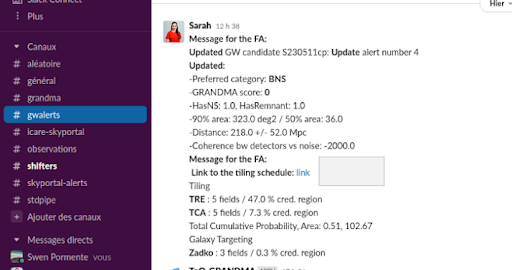
Access the Data:
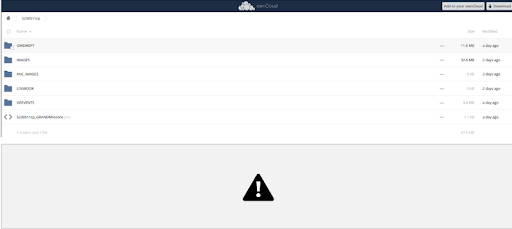
Click on the link in the notification to go to OwnCloud. You will be directed to the page of the source (e.g., S230511cp).
Navigate to the Relevant Folder:
Go to the folder
GWEMOPT:If the “Update” folder exists, go there.
Otherwise, go to “Preliminary”.
Then, navigate to
Galaxy targeting/Tiling(use “Tiling” for bigger aperture telescopes).
Find Your Telescope:
Locate your telescope in the
Galaxy targetingfolder (or inTilingif not inGalaxy targeting).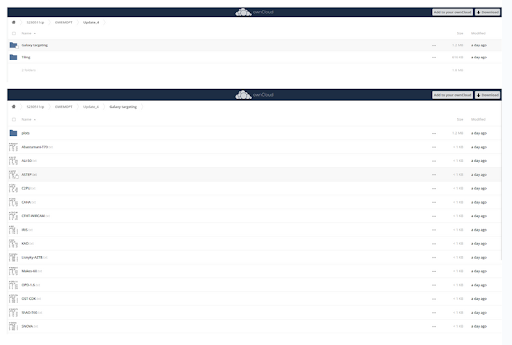
Example: For ASTEP, find the file
Name_of_your_telescope.txt.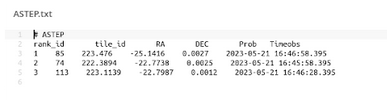
The file contains tiles to observe, with the first tile being the most likely to find the source.
Be cautious as column names and numbers might not be well aligned.
The file includes the tile ID, RA and DEC coordinates, probability, and times in UTC.
8.2 Retrieve Data for Follow-Up#
Follow-Up Advocate Query:
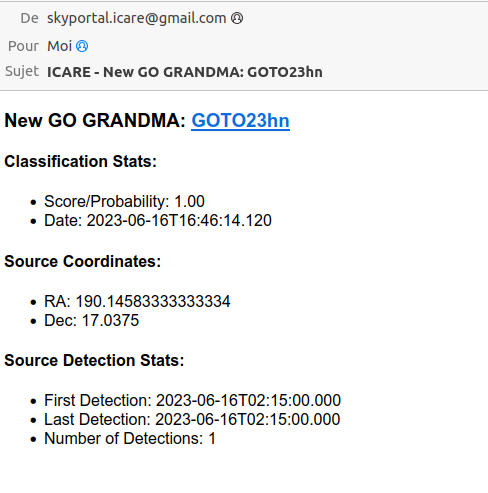
When the follow-up advocate flags a source as GO GRANDMA, you will receive an email indicating that you need to follow up.
8.3 Notify the Follow-Up Advocate#
Inform GRANDMA:
Once you have the information and are ready to observe, notify the rest of GRANDMA:
Post in #observations on Slack.
Contact the individual on shift or the weekly coordinator. This information will be evident in #Shifters.
8.4 Reporting Observations#
On Slack (#observations):
Write a message to inform about your observations:
I received the plan and I will start observing with {Name_of_your_telescope_id} id {the one you are observing} tile id {tile_id} RA {RA} DEC {DEC} probability {probability} on preliminary/update date {date}Example message if observing the first tile in
ASTEP.txt:I received the plan and I will start observing with ASTEP id 1 tile id 55 ra 221.338200 dec 23.809400 probability 0.003400 on preliminary date 2023-05-22T16-56-43
Update ICARE:
Search for the event in ICARE:
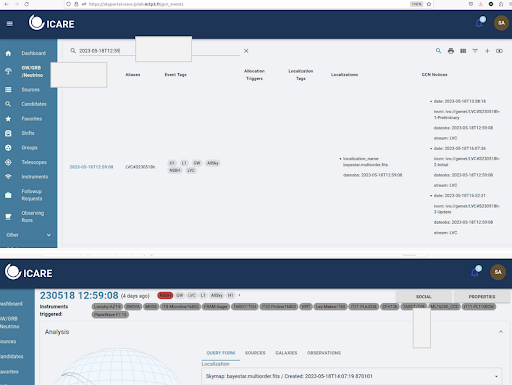
- Go to `GW/GRB/Neutrino` and use the source date to search for it on the site.